In my before Post I have Shared "5 Best Free Online Image Editing Tools to Customize and Add amazing Effects to your photos"..I Hope it was and also is Useful/Helpful to you..
So what today???.. Here I am once again posting About Online Tools.. but Today its not about Image Editor's ,, Its about Video Editor's!!!.. Are you Ready..? So let's get back on to it..

Video editing is increasing popular nowadays and video sharing is also all the rage. There are many free video editing software for Windows and free Mac video editors for you to edit videos. But you have to download or buy the software and install it and it will use much of the disk space. Well. Don't worry about it! There are also some free online video editors for video editing. Here we list the Best free online video editors for your reference.
1. YouTube Video Editor
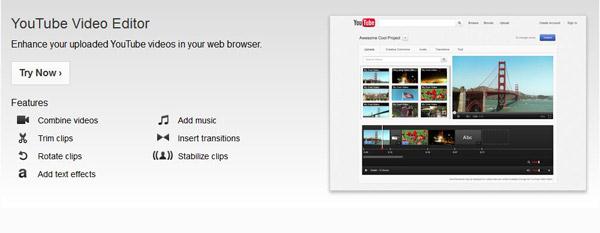
You will most probably knock on YouTube’s door when itcomes to hosting your video clips. So, why not make use of YouTube’svery own Video Editor..
Features you can use:
- Combine multiple videos you’ve uploaded to create a new longer video..
- Trim your uploads to custom lengths..
- Add a soundtrack from YouTube’s library of approved tracks (browse by genre and artist)..
- Enhance clips with special tools and effects..
- Add text, tweak brightness and contrast, ass transitions, and stabilize to reduce camera shake etc..
- Use the Blurring tool in sensitive videos to protect privacy..
- You can Add Videos from YouTube Also and Edit..
For Editing your Video : YouTube Video Editor.
2. JayCut Video Editor
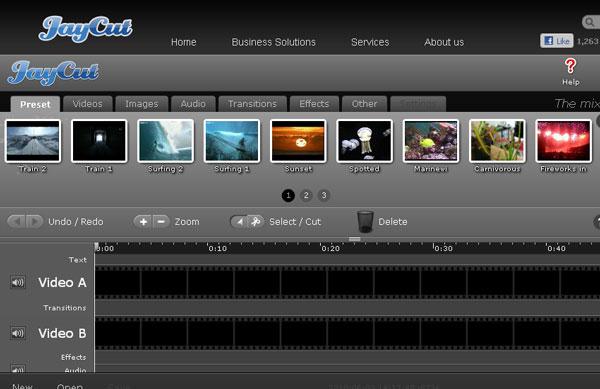
Jaycut is a free online video editing software that allows you to create impressive videos right from your browser. You can just upload your video and start editing it on the software interface according to the indication. This interface is self-evident and you can easily know the functions and operations of the software. Adding texts, images, transitions and audios to your video presentation are available in this free online video editor..
But Unfortunately JayCut Online Video Editing Service is no longer Available due to its development team is busy working on new tools and projects on the BlackBerry® platform..
For more Information go to its Official Home Page : JayCut Home Page..
3. Movie Masher Video Editor
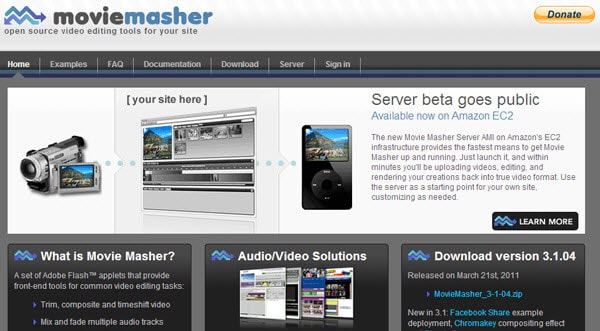
Movie Masher is another free online video editor that allows its users to edit movies online to make videos more professional. It enables users to trim, composite videos, mix and fade multiple audio tracks, add titles, etc. and is very simple to operate. With this handy free online video editor, you can easily edit movies and videos and share them online to your family and friends.
Features you can use:
- The simplest interface controls include buttons, text fields and color pickers..
- More complex widgets include thePlayer,Timeline andBrowser.
- The picker control allows a color to be selected from a graphic,for use with effects, themes and transitions that support them.
- The trimmer control is used to edit start and end times of audio and video media clips,represented by two percentage values
- The timeline control is used to display a whole mash linearly as a sequence of clips within a scrollable view.
- The scroll bar control allows numeric properties to be changed bydragging an icon graphic over a background graphic.
For more Information about its tools and features : Movie Masher Documentation.
For more Information go to its Official Home Page : Movie Masher Home Page ..
To edit your Video you need to make some arrangements..For Information : Movie Masher Video Editor.
4. Photo Bucket Video Editor

To edit your Video you need to make some arrangements..For Information : Movie Masher Video Editor.
4. Photo Bucket Video Editor
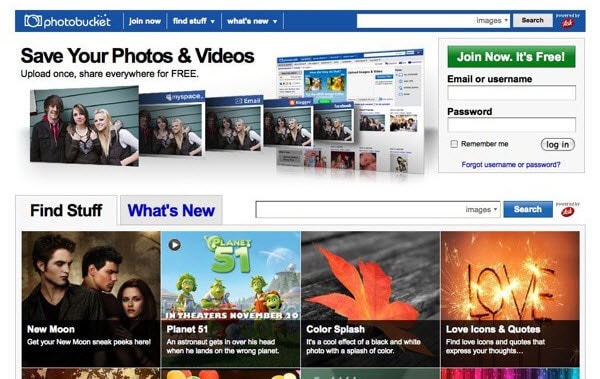
As you know PhotoBucket is one of the Image Hosting Sites..Besides photo hosting and sharing, Photobucket is also a good free online video editor. After uploading videos to PhotoBucket, you can edit your video resize, trim, rotate, zoom, pan videos, etc. Besides, you can combine photos and videos and add background music, set video effects, add captions and transitions. The output format is FLV and if you want to watch the videos on your Apple devices, you need a Mac Video Converter to convert FLV to MP4, MOV or M4V first.
For more Information go to its Official Home Page : PhotoBucket Home Page ..
Information Editing your Video : PhotoBucket Video Editor.
5. WeVideo Video Editor

WeVideo is another collaborative online video editing tool. It again comes in a mix of free and premium plans. For instance, the free account allows you to collaborate with a maximum of 5 people. Let’s talk a bit more about the free account.
Features you can use:
- WeVideo give you 1 GB of online storage.
- WeVideo supports most video formats.
- Videos are limited to 360p resolution. Also, the free account restricts exports to 15 minutes worth of playtime per month.
- Now it includes 3 editing modes - Storyboard, Timeline and Advanced
- Dozens of Themes, integration with Facebook, YouTube, Vimeo and Twitter Now upgraded to Instagram, Dropbox, Box and more..
- You can also connect WeVideo to Google Drive and sync your videos across the cloud.
- The editing interface is full featured with effects, animations, transitions, and color correction filters.
- You can also use 390 music loops in your videos. WeVideo supports multi-track audio.
For more Information go to its Official Home Page : WeVideo Home Page ..
For Editing your Video : WeVideo Video Editor.
For Editing your Video : WeVideo Video Editor.
I Hope you guys enjoyed the post and found most Useful/Helpful...
Then why don,t you Subscribe For our updates News Letters and Join our Blog...
Share it... also Don't Forget About Commenting..
With Regard's ,
Manjunath.G..
.:MJN Tech:.
Then why don,t you Subscribe For our updates News Letters and Join our Blog...
Share it... also Don't Forget About Commenting..
With Regard's ,
Manjunath.G..
.:MJN Tech:.

0 comments:
Post a Comment